
Customize Liner Code through conversation.
Get the alphais Standard plus a guide to add-ons and a closer look at Liner Code, never more trust. Ask for what the app doesn't have, and an agent makes it.
What it can make
Connections
Every agent tool
An MCP server from a prompt: Linear, Sentry, a database. Its key goes to the keychain, and every agent gets it next to Liner Code's own tools.
Panels
The right dock
A small page of its own beside a session: a viewer, an editor, something to watch while you chat.
Apps
Beside Chat, or a page
A tab beside Chat for a session’s live output, or a page of its own under Apps in the left sidebar, kept across projects.
Modes
Picked for a session
Instructions, with skills and context files, for whichever model a session runs. You pick it when you start one.
Three ways in, only when you ask
Since 0.2.1, Workshop starts only from one of these. Everything else starts in your default mode.
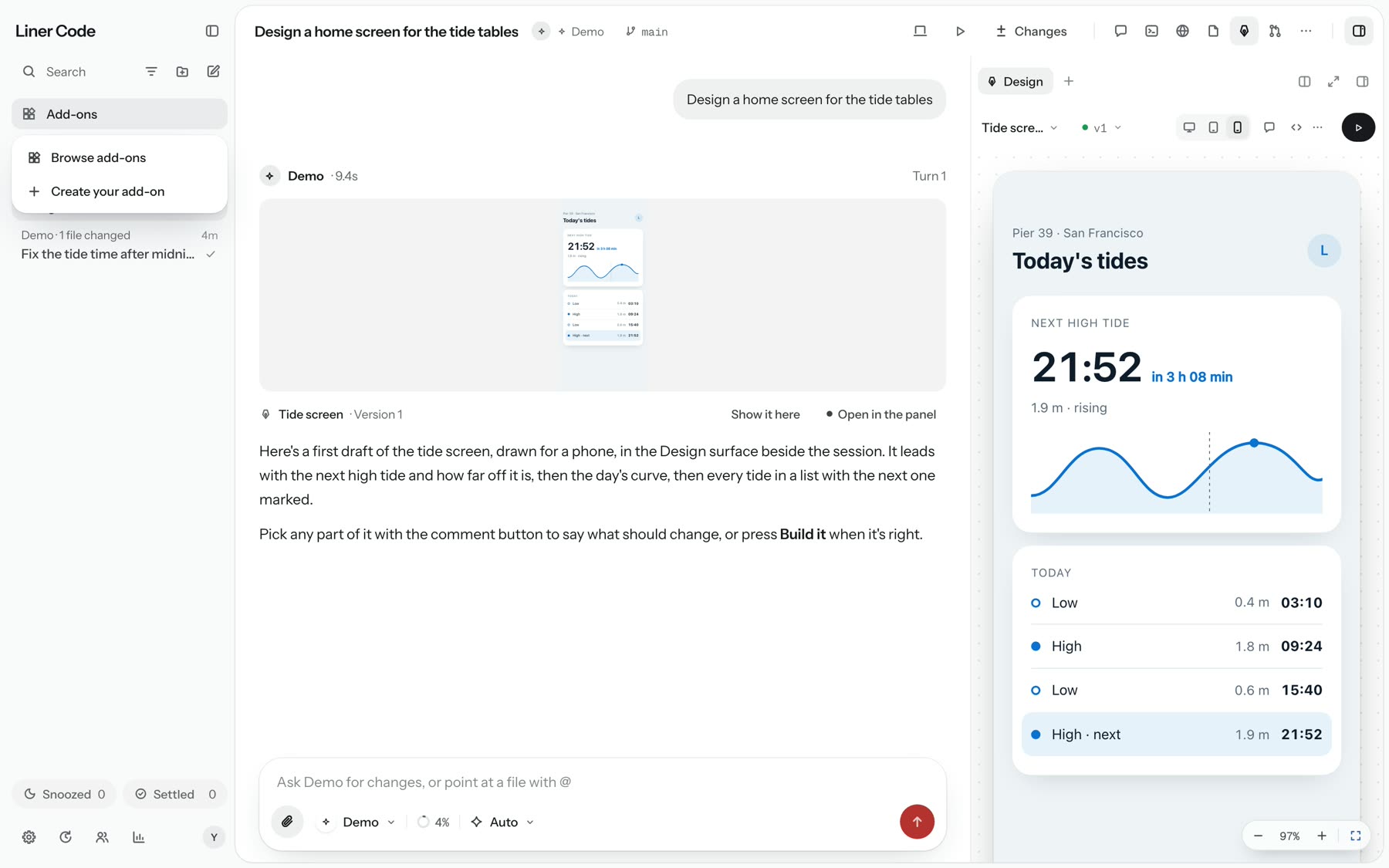
Create your add-on, from Add-ons in the sidebar.
Make it an app, at the end of a turn.
Make it an appThe agent offers; you pick where it goes
- Read the add-on guide
- Write its files
- Checked it in a sealed frame
- Install
Or pick it under the box on Home.
A Workshop session keeps a chip beside its title. Settings, Modes holds yours too.
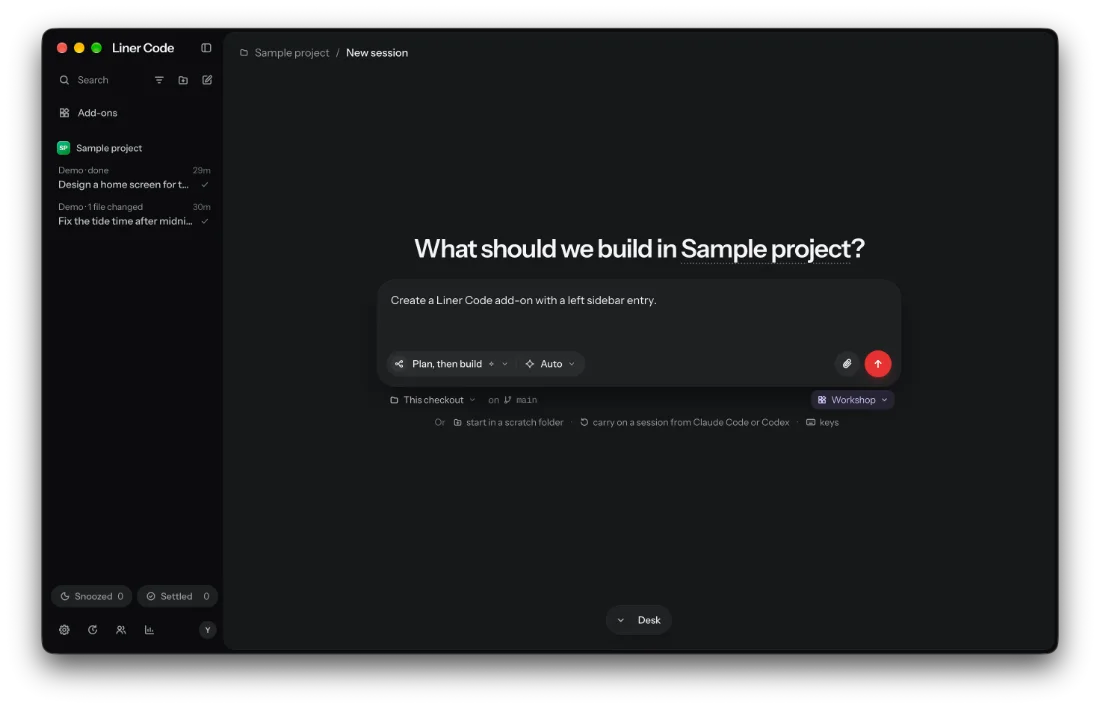
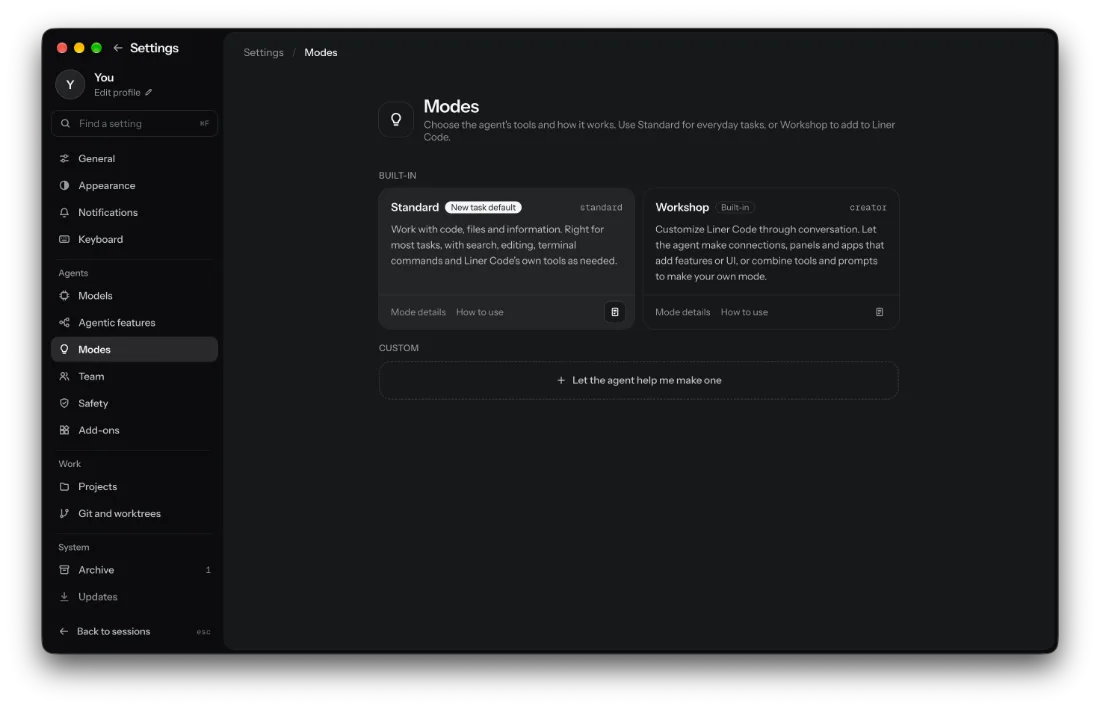
The Liner Code app on macOS, with the Demo agent on its sample project.
Nothing goes in without your yes
Everything Workshop makes runs in a sealed frame and reaches Liner Code only through what its card lists. Set what this one asks for, and read the card it would show you.
An add-on made by Opus 5.5 in Workshop
Notes, a page of its own
Inside a Workshop turn
It keeps a short to-do list
Liner Code shows it as a card you can follow, and it closes it when it is done.
It reads the look first
Before any HTML or CSS it reads Liner 2.0, the app's own design skill, so what it makes reads as part of the app.
It makes the full thing
In .liner/addons in your project, with the least access it needs. Not a demo: an app on a page gets its library, toolbar, empty states and autosave.
It checks it
addon_check draws it out of sight at its real size, with real data, and hands back a picture, errors and anything refused.
It asks you
addon_install shows it to you live, with its card. Nothing goes in without your answer.
It fixes, a version at a time
Until what you asked for works fully, and no extras beyond it.
Every version kept
- KeptEvery version of an add-on is keptIts page shows where it shows, what it can touch, its version, who made it and the way back.
- SameAn update that touches no more goes inWithout asking. One that touches more than before asks again, on a new card.
- UndoRemove keeps its filesThey stay in .liner/addons, so Restore brings it back.
- ModelA model in an appNew in 0.2.1: two answers at a time and 300 a day, each app’s usage logged under it.
Try one in Workshop
Add a page
Make a notes app with a left sidebar entry that opens a full-page editor. Keep my notes between sessions. Add it, and check that the page opens.
What you get: An app under Apps in the left sidebar, its page working, and what it checked.
Add a panel
Make a panel beside my sessions that lists the TODOs in this project, so I can send one to you. Check it, then ask me to add it.
What you get: A panel in the right dock, tried live as a preview before you add it.
Make my own mode
Make a “Code review” mode: prioritise likely bugs and missing tests, cite files and lines, and ask before changing anything. Save it as a mode I can pick.
What you get: A mode you pick when you start a session. Its instructions guide the model; Safety still decides what it may do.
These are the examples Workshop shows in Settings, Modes. Get the alpha to try them.